


Cyberattacks don’t just target big corporations. In fact, small and medium-sized enterprises (SMEs) are often easier at targets because they typically have limited security resources, fewer dedicated IT staff, and less time to monitor threats. That makes SMEs attractive to attackers looking for quick wins—whether that’s stealing login credentials, disrupting operations, or deploying ransomware.
The good news is that strong cybersecurity doesn’t require enterprise-level budgets. Most successful attacks exploit the same gaps again passwords, missing updates, unsecured devices, poor backups, and untrained employees.
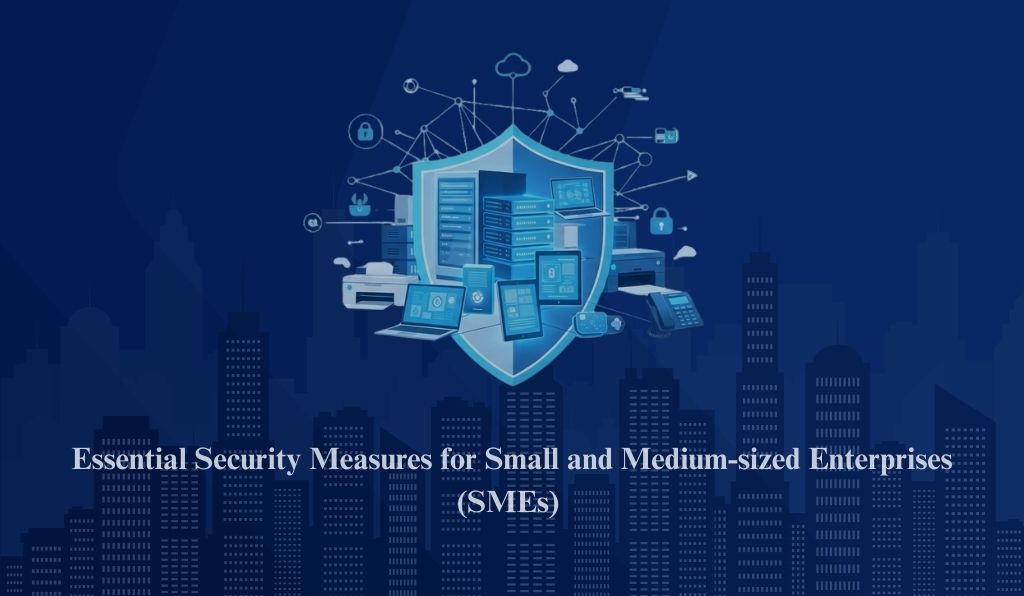
In this guide, you’ll learn about the five essential cybersecurity measures for SMEs that reduce risk immediately. Each section includes practical steps and quick wins you can implement today.
Why Cybersecurity for SMEs Matters More Than Ever ?
SMEs depend on digital tools to run daily operations—email, cloud apps, online banking, customer databases, and remote work systems. That means a single breach can lead to:
- Business downtime and lost revenue
- Customer data exposure
- Ransomware demands and recovery costs
- Reputation damage and loss of trust
- Compliance issues (especially if you handle sensitive information)
If your business relies on email, cloud tools, or customer data, cybersecurity isn’t optional—it’s a business continuity requirement.
1) Lock Down Access with MFA and Strong Password Practices
Most attackers don’t “hack” in the traditional sense—they log in using stolen credentials. That’s why securing access is the fastest way to reduce risk.
Enable Multi-Factor Authentication (MFA) everywhere
MFA adds a second verification step to logins (like a code or mobile approval), stopping many account takeovers even if a password is stolen.
Start with:
- Email (Microsoft 365 / Google Workspace)
- Admin accounts (cloud, IT, CRM, website)
- VPN and remote access tools
- Finance tools (payroll, accounting, banking)
Use a password manager and eliminate reuse
SMEs often reuse passwords across tools. That’s dangerous because one leaked password can unlock multiple systems.
A password manager helps you enforce:
- Unique passwords for every account
- Strong randomly generated passwords
- Secure team sharing without sending passwords in chat or email
Remove shared accounts and disable legacy authentication
Shared accounts reduce accountability and often remain active long after employees leave. Also, older login methods may bypass MFA.
Best practice: each user gets a unique account, and access is tied to their role.
Quick wins
- Turn on MFA for all critical systems
- Adopt a password manager company-wide
- Review admin accounts and remove unnecessary access
2) Patch and Update Systems on a Weekly Routine
Outdated software is one of the most common entry points for cyberattacks. Attackers routinely scan for known vulnerabilities in unpatched systems.
What SMEs should keep updated
- Operating systems (Windows/macOS/Linux)
- Browsers and extensions
- Business apps (PDF tools, meeting apps, plugins)
- Routers, firewalls, and network devices
- Endpoint security tools
Track your most important systems
Even a basic inventory helps prevent “forgotten” assets:
- Servers (cloud or on-prem)
- Employee laptops/desktops
- Firewalls/routers
- Key SaaS tools
Quick wins
- Set a weekly patch window
- Enable auto-updates where possible
- Track critical assets and assign an owner
3) Protect Endpoints with Modern Antivirus software and Secure Configuration
Employee devices are often the first place attackers land—especially through phishing, malicious links, or infected downloads.
Understand Antivirus (AV) vs EDR
- Traditional AV helps block known malware.
- EDR (Endpoint Detection & Response) identifies suspicious behavior and helps investigate incidents faster.
For SMEs, EDR can significantly reduce damage by detecting threats earlier and enabling quick containment.
Secure endpoint settings (simple but powerful)
Even without advanced tools, strong configuration makes a big difference:
- Enable full disk encryption on laptops
- Require screen locks and strong device PINs/passwords
- Remove local admin rights for everyday users
- Turn on security logging and alerts
If you allow BYOD (personal devices), set minimum rules
At minimum:
- Require MFA
- Require device lock (PIN/biometric)
- Keep OS updated
- Limit access to sensitive systems
Quick wins
- Enable disk encryption for all laptops
- Remove local admin rights where possible
- Ensure security alerts go to IT/MSP inbox
4) Back Up Properly and Test Your Restore
Ransomware and accidental deletion happen. Backups are your safety net—but only if they’re configured correctly and tested.
Use the 3-2-1 backup rule
A simple, reliable strategy:
- 3 copies of your data
- 2 different storage types (cloud + external or separate system)
- 1 copy stored offsite
Protect backups from ransomware
Attackers often try to delete or encrypt backups too. Reduce that risk by:
- Restricting who can access backup settings
- Using immutable backups (can’t be changed for a set period)
- Keeping at least one offline or separate copy
Test restore regularly
A backup that can’t be restored is not a backup. Schedule a monthly restore test of critical files or systems.
Quick wins
- Identify critical systems and data
- Run daily incremental and weekly full backups
- Perform a monthly restore test
5) Train Employees and Implement Basic Security Policies
SME employees are targeted daily with phishing emails, fake invoices, and login scams. Training and simple policies reduce human error and speed up response.
Keep training short and practical
You don’t need long sessions. Start with:
- How to recognize phishing and suspicious links
- What to do when something looks unusual
- How to report incidents quickly
- Why early reporting matters
Add basic policies (keep it simple)
A one-page policy can cover:
- Remote work rules (VPN, Wi-Fi security, device protection)
- Password and MFA expectations
- What tools can be installed on work devices
- Data handling basics (especially customer or payment data)
Build a no-blame reporting culture
Employees should feel safe reporting mistakes quickly. Fast reporting prevents small incidents from turning into major breaches.
Quick wins
- Run a 20-minute quarterly security session
- Add a “Report Phish” workflow
- Create a one-page security policy for staff
Cybersecurity doesn’t have to be complicated or expensive for SMEs—it just needs to be consistent. By focusing on these five essentials—MFA and strong passwords, regular patching, secure endpoints, reliable backups, and employee awareness—you can block the most common attack paths and reduce your risk dramatically. If you’d like help validating your current setup or creating a prioritized action plan, contact Data Next Step for a quick security baseline review and get clear, practical next steps to strengthen your business.